I’m convinced that content provenance technology will be an important piece of the solution to the “AI slop” problem. The idea is simple: each image or video you come across has metadata associated with it, like a nutrition label, that tells you where the content came from, where it’s been, and who vouched for it. If that kind of disclosure was widely used, I believe we’d have a much healthier information environment.
There are a bunch of content provenance methods out there, but the most interesting one that I’ve come across is C2PA, which stands for “Coalition for Content Provenance and Authentication”.
It isn’t a great name - but it is a great idea. C2PA is built on top of rock-solid public key cryptography, and allows you to keep track, over time, of what has been done to a piece of media. Here’s how it works in practice:
- When you take a photo, your phone signs it with a private key that is known only to the camera manufacturer, and stores that signature in metadata.
- (If you create an image with AI, the model owner signs the image with their private key)
- Next, you might want to edit your image. If you use certain software (like Adobe products), each editing step is written down in the metadata and is signed with Adobe’s private key, along with the hash of the existing metadata.
- If you wants to publish your image, you sign the image and the hash of the existing metadata. The result is a tamper-proof, verifiable history of the changes that have been made to the image over its life.
- Want to upload the image to an AI image editor? No problem - the metadata will reflect that.
- The consumer of the content can view where the photo originally came from (whether real or AI), what edits were made, and any other changes made.
- You can even include related metadata - like requests to not train AI models on the content, or the Instagram handle of the artist who made the media - in the C2PA metadata.
- All the signatures chain back up to a trusted, public root list of public keys (which you can find here).
What all this means is that the end user - the person scrolling on social media - can verify for themselves that a piece of media is, or is not, made with AI.
It’s a great idea. It’s open source. But it’s complex, and for all its benefits, C2PA has… not yet had a lot of adoption.
That might change in the near future: California passed a law in October 2025 (the AI Transparency Act) that mandates social media companies and camera manufacturers begin to incorporate content provenance technology. The Google Pixel 10 natively supports C2PA signatures and applies them right at the moment when you take a photo. So there’s a little bit of momentum (and if you ask me, it couldn’t come a moment too soon).
But other heavy hitters like Meta and the New York Times have promised to embrace C2PA at various points, and have mostly fallen short of their aims. Browsers don’t yet automatically check for C2PA manifests (although there do exist browser extensions to do so). Most importantly, the most popular camera in the world, the iPhone, doesn’t apply C2PA metadata at the time of image capture. Maybe that’ll change. But for now, C2PA-compatible media is rare.
I wanted to help nudge things along in my own small way, so I decided to figure out how to put C2PA-signed content on this site.
Self-signed certificates and C2PA#
The problem I wanted to solve, I thought, was simple. After all, public key cryptography is everywhere these days. I already sign my GitHub commits. This blog, like virtually every website, uses TLS to encrypt its traffic. How hard could it be to serve C2PA-signed media on a simple static site?
Specifically, I wanted to simply apply metadata that says I - the owner of the domain christianjohnson.xyz - signed each image.
I don’t need to prove that my images weren’t AI-generated; simple attestation is all I’m looking for.
If I host the certificate on this domain, that should be plenty of proof that I own the private key.
So I decided that a self-signed certificate would be sufficient.
Unfortunately, self-signed certificates are only recommended for development, not production use by CAI. For a blog like this one, I think that’s overly restrictive. Proving your identity to a certificate authority costs money (and not just a one-time fee - all the options I explored were an annual or monthly subscription).
The good news is that the C2PA documentation does give some hints that you can self-sign your certificates; the bad news is that the C2PA documentation is pretty scattered. There’s an official spec, pages for SDKs in Rust, Python, and Javascript, a Discord channel, the (unfinished) Content Credentials Foundations course, and the GitHub repos for CAI and C2PA-org.
So it took a bit of trial and error, but I managed to get things working after a while. I decided to write down the steps here so that others who run into similar challenges might find it useful.
A caveat#
Note that all of this is entirely overkill. You’re reading this over an HTTPS connection, so your browser has already confirmed that my domain is serving you the content - I don’t need to attest that any media is truly mine.
The idea is really that if you were to download an image from this blog and host it on your own blog, or put it on a social media site, the provenance would point back here. I can’t really imagine anyone doing that in real life.
At the moment, C2PA is in the XKCD 1181 stage of its life - anyone who is bothering to prove their identity is probably not the person you should worry about.
Keeping in mind that this is all somewhat pointless, let’s soldier on.
Enough backstory, just show me the code already#
Ok. Here are the commands that worked for me.
First, put the following in signing-cert.conf:
[req]
prompt = no
default_md = sha256
distinguished_name = dn
req_extensions = v3_req
[dn]
C=US
ST=State
L=City
O=YourName
CN=YourName C2PA Signing
[v3_req]
keyUsage = critical, digitalSignature
extendedKeyUsage = critical, emailProtection
subjectKeyIdentifier = hash
(Edit it to put your name in the appropriate spots). Then, run the following series of commands.
Generate a root key pair:
openssl ecparam -name prime256v1 -genkey -noout -out rootCA.keyCreate an x.509 certificate from the root key:
openssl req -x509 \
  -new \
  -key rootCA.key \
  -days 3650 \
  -out rootCA.crt \
  -subj "/C=US/ST=State/L=City/O=YourName/CN=YourName Root CA"
Generate a signing key pair:
openssl ecparam -name prime256v1 -genkey -noout -out signing.keyGenerate a certificate signing request from your signing key:
openssl req -new \
  -key signing.key \
  -out signing.csr \
  -config signing-cert.conf
Sign the signing key with your root key:
openssl x509 -req \
  -in signing.csr \
  -CA rootCA.crt \
  -CAkey rootCA.key \
  -CAcreateserial \
  -out signing.crt \
  -days 3650 \
  -extensions v3_req \
  -extfile signing-cert.conf
Convert to standard PKCS8 format:
openssl pkcs8 -topk8 -inform PEM -outform PEM -nocrypt \
  -in signing.key -out signing-pkcs8.key
Make a single file showing the certificate chain:
cat signing.crt rootCA.crt > cert-chain.pemIf you run these commands, you’ll create a bunch of files. Here’s what I ended up with:
cert-chain.pem
rootCA.crt
rootCA.key
rootCA.srl
signing-cert.conf
signing-pkcs8.key
signing.crt
signing.csr
signing.key
As if that wasn’t enough, we still need one more file: a JSON manifest that tells the C2PA tool what claims we’re making about the image we’re signing. There are a dizzying array of options here, depending on what you’re trying to claim (that an image is AI-generated, that it was edited in various ways, and so on).
I’m just trying to attest that I put the image on my website.
However, C2PA requires that every attestation is a type of “image created” or “image edited”.
This manifest therefore simply claims that I created these images.
Here’s the manifest.json:
{
  "claim_generator": "my-signing-app/1.0",
    "sign_cert":"cert-chain.pem",
    "private_key":"signing-pkcs8.key",
    "alg":"es256",

  "assertions": [
    {
      "label": "stds.schema-org.CreativeWork",
      "data": {
        "@context": "https://schema.org",
        "@type": "CreativeWork",
        "author": [
          {
            "@type": "Person",
            "name": "Your Name"
          }
        ]
      }
    },
    {
      "label": "c2pa.actions",
      "data": {
        "actions": [
          {
            "action": "c2pa.created"
          }
        ]
      }
    }
  ]
}
Finally, you’re ready to sign your content like this:
c2patool path/to/unsigned_image.jpg -m manifest.json -o path/to/signed_image.jpgIf you’re lucky, you’ll see a bunch of JSON flash on the screen, and the new version of your image will appear in the directory you specified.
Here’s an example of a signed image:
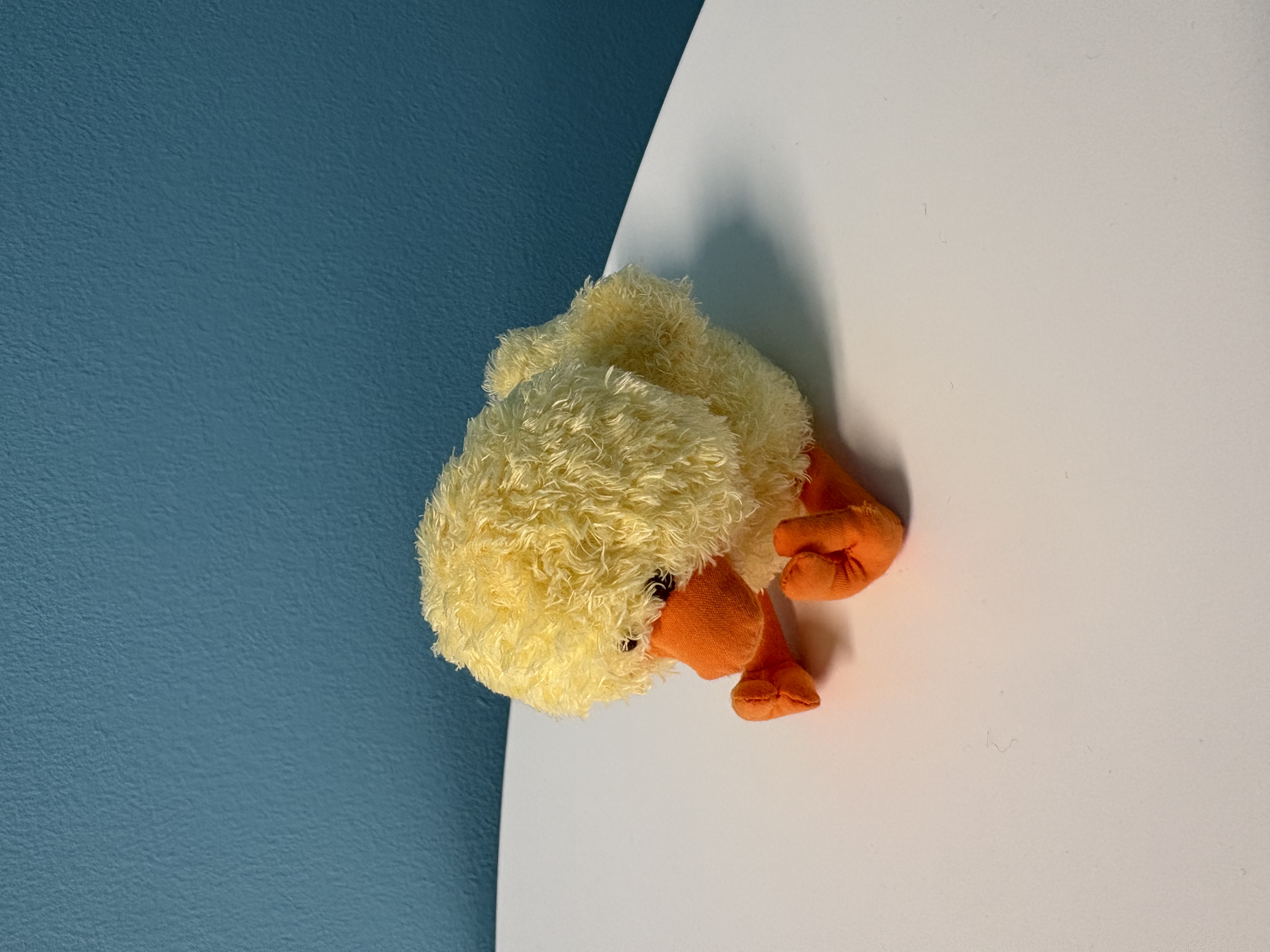
You can then upload the image to a verifier site (like this one from CAI) and you’ll see your name appear as the signer.
It will, of course, give you a scary orange banner complaining that your identity couldn’t be verified:
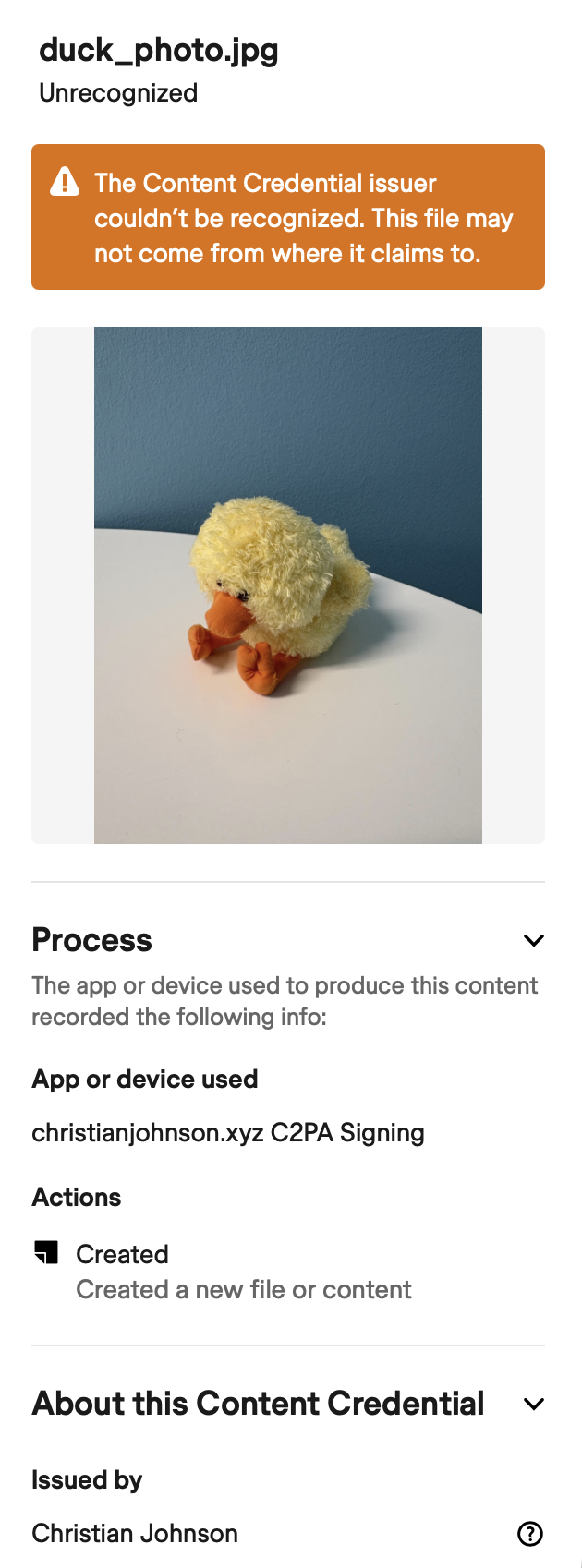
That’s to be expected: the whole point of this was that we were explicitly trying to avoid identity verification.
But that doesn’t mean the signature is completely useless: it does indeed link to the public key you generated in the first step above.
If you upload the root certificate to the .well-known/ directory of your website (as I did for this site), you can confirm that the image came from the site in question with the following command:
c2patool signed-image.jpg trust --trust-anchors rootCA.crtAlthough we haven’t necessarily achieved true end-to-end content provenance (after all, anyone can make a website and put whatever they want on it) we’ve at least been able to add a C2PA-compatible attestation that the image came from the site it claims to. It’s a baby step in the right direction.
Enforcement#
I thought a good way to keep myself honest would be to add a pre-commit to ensure that all the media on this site are signed.
So here’s a pre-commit repo for automatically signing content on a Hugo site.
You can use it like this (just add to your .pre-commit-config.yaml):
  - repo: https://github.com/christian-johnson/c2pa-hugo-pre-commit
    hooks:
      - id: sign-hugo-images-c2pa
It’ll sign everything in assets/img and put the signed versions in static/img (the static/ directory will get displayed with its metadata intact, whereas anything in assets/ is liable to have its metadata stripped).
Then it’s up to you to ensure that you point to the signed versions of images in your Markdown or template files.